Part 135 Maintenance Tracking Software

How charter and commuter operators can connect approved maintenance requirements, real utilization, work execution, and source records across a Part 135 fleet.

Part 135 software 12 sections · 5 min read Reviewed July 26, 2026

In brief

Part 135 maintenance tracking software must reflect the certificate holder’s actual aircraft, seating configuration, operations specifications, manuals, and approved maintenance or inspection program. Generic due lists do not replace the operator’s approved system or accountable review.

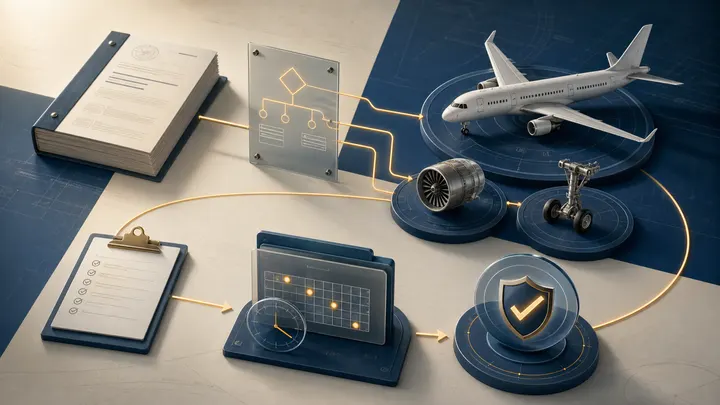
Part 135 Maintenance Tracking Software editorial illustration

Part 135 maintenance tracking begins with the operator’s approved reality—not a software vendor’s generic aircraft template. The system must reflect the certificate holder, aircraft seating configuration, operations specifications, manuals, maintenance or inspection program, aircraft configuration, and actual utilization.

The FAA notes that Part 135 maintenance requirements vary with aircraft and operation. Its Part 135 certification guidance distinguishes maintenance paths and emphasizes aircraft conformity and complete records.

Establish the governing baseline

For each aircraft, identify:

  • Certificate holder.
  • Registration, serial number, and configuration.
  • Passenger seating configuration.
  • Operations specifications.
  • Applicable maintenance and inspection program.
  • General Maintenance Manual and procedures where applicable.
  • Manufacturer and operator program revisions.
  • Minimum equipment and deferred-maintenance procedures.
  • AD, airworthiness limitation, and life-limit controls.
  • Approved Aircraft Inspection Program or continuous program as applicable.

The software configuration should point to the controlling approval or procedure. “Vendor standard program” is not a sufficient source.

Aircraft conformity and onboarding

Before an aircraft enters Part 135 service, reconcile:

  • Registration and airworthiness documents.
  • Installed configuration and equipment.
  • Weight and balance.
  • Flight-manual and supplement set.
  • Maintenance and inspection history.
  • Current AD status.
  • Time and cycle-limited component records.
  • Required overhaul and replacement status.
  • Repairs, alterations, and STCs.
  • Emergency and operational equipment.
  • Open discrepancies.

The FAA’s certification material describes a conformity check and stresses complete records for time- or cycle-limited components. Treat onboarding as a controlled audit, not a bulk data import.

Requirement library and revision control

The tracking system should control:

  • Task identifier and source.
  • Aircraft or component applicability.
  • Threshold and repeat interval.
  • Calendar, flight-hour, cycle, landing, start, or event basis.
  • Tolerance or escalation authority.
  • Program revision.
  • Effectivity date.
  • Prior credit.
  • Last accomplishment and next due.
  • Source work package.

When the program changes, show which aircraft and tasks are affected, whether prior credit applies, who approved the transition, and how due dates changed.

Utilization and forecasting

Part 135 fleets can accumulate utilization quickly and unevenly. Integrate:

  • Flight hours.
  • Cycles or landings.
  • Engine and APU starts.
  • Calendar.
  • Operational events.
  • Aircraft swaps and substitutions.

Monitor data latency and reconciliation. A forecast built on utilization that arrives days late may look accurate while the aircraft crosses a limit.

Forecast at several horizons:

  • Immediate due and overdue.
  • Next operational day.
  • Seven, 30, 60, and 90 days.
  • Major-event and seasonal plan.
  • Fleet capacity after scheduled downtime.

AD, component, and life-limit controls

Use dedicated workflows for:

Do not reduce each control to one due date. Preserve applicability, compliance method, utilization basis, and source.

Work planning and execution

The tracker should connect a requirement to:

  1. Planned work scope.
  2. Maintenance provider and authorization.
  3. Required parts, tooling, data, and access.
  4. Scheduled downtime.
  5. Task cards and findings.
  6. Corrective action.
  7. Approval for return to service.
  8. Records acceptance.
  9. Updated next due.

The task is not complete when maintenance says the aircraft is ready. It is complete when the operator has accepted the required record and updated status.

Deferred and open-item control

Manage distinct categories:

  • Deferred maintenance under the applicable approved process.
  • Nonessential furnishing or cosmetic items.
  • Inspection findings awaiting engineering.
  • Parts on order.
  • Records missing after completed work.
  • Tracking or configuration discrepancies.
  • Repeat defects and reliability signals.

Each item needs authority, opening date, limit, operational restriction, owner, corrective plan, and closure evidence.

Records and audit readiness

Connect every completed requirement to:

  • Maintenance entry or airworthiness release.
  • Work order and task cards.
  • Findings and corrective actions.
  • Parts and release documents.
  • Inspection results and measurements.
  • Approved data.
  • AD or service information.
  • Signatures and certificate details.

The aircraft maintenance records guide explains common record content and retention foundations. Operators must apply the rules and approved procedures specific to their operation.

Roles and permissions

Separate:

  • Program administration.
  • Applicability decisions.
  • Planning.
  • Work execution.
  • Records acceptance.
  • Status approval.
  • Read-only operational access.
  • Auditor or regulator access.

Log every configuration, threshold, accomplishment, and status change. High-risk changes should require review by another authorized person.

Management dashboard

Useful controls include:

  • Aircraft due before next planned flight.
  • Overdue and near-due requirements.
  • Utilization-feed delays.
  • Completed work awaiting records.
  • Unreviewed ADs or program revisions.
  • Deferred items by remaining limit.
  • Repeat defects.
  • Major events and fleet downtime.
  • Records exceptions.
  • Vendor turnaround.

Show the source behind the status, not only red, yellow, and green indicators.

Vendor demonstration checklist

Use real operator cases:

  • Aircraft joining the certificate.
  • Program revision with new tasks.
  • Fast utilization crossing a threshold.
  • Recurring AD with a terminating action.
  • Component change between two tails.
  • Deferred item approaching limit.
  • Completed work with missing records.
  • Aircraft removed from and returned to service.
  • Fleet forecast after a schedule change.
  • Full audit history and export.

Sources and further reading

Common questions

Frequently asked questions

What maintenance program applies to a Part 135 aircraft?

It depends on aircraft seating configuration, operation, approved programs, and applicable sections of Parts 43, 91, and 135. Operators should use their FAA-approved or accepted manuals, operations specifications, and qualified regulatory guidance.

Can maintenance tracking software ensure Part 135 compliance?

Software supports control and evidence, but compliance depends on correct configuration, approved requirements, accurate utilization, qualified decisions, work execution, records, and operator procedures.

What should Part 135 software track?

It should track the approved maintenance and inspection requirements applicable to each aircraft, utilization, ADs, components, life limits, deferred items, work status, records, revisions, and exceptions.

Why is records traceability important for Part 135?

The operator must be able to show the status and maintenance history required by its rules and program. Source-linked records make audits, conformity, troubleshooting, and aircraft transitions faster and more defensible.

Run maintenance from connected evidence

Know what is due—and open the record that proves it.

Radar connects maintenance status, component history, compliance work, and source records across every tail in the fleet.

Your fleet's records at your fingertips.

Sign up, print a label, and search your first tail within days. Free.

Part 135 Maintenance Tracking Software

How charter and commuter operators can connect approved maintenance requirements, real utilization, work execution, and source records across a Part 135 fleet.

Part 135 software 12 sections · 5 min read Reviewed July 26, 2026

In brief

Part 135 maintenance tracking software must reflect the certificate holder’s actual aircraft, seating configuration, operations specifications, manuals, and approved maintenance or inspection program. Generic due lists do not replace the operator’s approved system or accountable review.

Part 135 Maintenance Tracking Software editorial illustration

Part 135 maintenance tracking begins with the operator’s approved reality—not a software vendor’s generic aircraft template. The system must reflect the certificate holder, aircraft seating configuration, operations specifications, manuals, maintenance or inspection program, aircraft configuration, and actual utilization.

The FAA notes that Part 135 maintenance requirements vary with aircraft and operation. Its Part 135 certification guidance distinguishes maintenance paths and emphasizes aircraft conformity and complete records.

Establish the governing baseline

For each aircraft, identify:

  • Certificate holder.
  • Registration, serial number, and configuration.
  • Passenger seating configuration.
  • Operations specifications.
  • Applicable maintenance and inspection program.
  • General Maintenance Manual and procedures where applicable.
  • Manufacturer and operator program revisions.
  • Minimum equipment and deferred-maintenance procedures.
  • AD, airworthiness limitation, and life-limit controls.
  • Approved Aircraft Inspection Program or continuous program as applicable.

The software configuration should point to the controlling approval or procedure. “Vendor standard program” is not a sufficient source.

Aircraft conformity and onboarding

Before an aircraft enters Part 135 service, reconcile:

  • Registration and airworthiness documents.
  • Installed configuration and equipment.
  • Weight and balance.
  • Flight-manual and supplement set.
  • Maintenance and inspection history.
  • Current AD status.
  • Time and cycle-limited component records.
  • Required overhaul and replacement status.
  • Repairs, alterations, and STCs.
  • Emergency and operational equipment.
  • Open discrepancies.

The FAA’s certification material describes a conformity check and stresses complete records for time- or cycle-limited components. Treat onboarding as a controlled audit, not a bulk data import.

Requirement library and revision control

The tracking system should control:

  • Task identifier and source.
  • Aircraft or component applicability.
  • Threshold and repeat interval.
  • Calendar, flight-hour, cycle, landing, start, or event basis.
  • Tolerance or escalation authority.
  • Program revision.
  • Effectivity date.
  • Prior credit.
  • Last accomplishment and next due.
  • Source work package.

When the program changes, show which aircraft and tasks are affected, whether prior credit applies, who approved the transition, and how due dates changed.

Utilization and forecasting

Part 135 fleets can accumulate utilization quickly and unevenly. Integrate:

  • Flight hours.
  • Cycles or landings.
  • Engine and APU starts.
  • Calendar.
  • Operational events.
  • Aircraft swaps and substitutions.

Monitor data latency and reconciliation. A forecast built on utilization that arrives days late may look accurate while the aircraft crosses a limit.

Forecast at several horizons:

  • Immediate due and overdue.
  • Next operational day.
  • Seven, 30, 60, and 90 days.
  • Major-event and seasonal plan.
  • Fleet capacity after scheduled downtime.

AD, component, and life-limit controls

Use dedicated workflows for:

Do not reduce each control to one due date. Preserve applicability, compliance method, utilization basis, and source.

Work planning and execution

The tracker should connect a requirement to:

  1. Planned work scope.
  2. Maintenance provider and authorization.
  3. Required parts, tooling, data, and access.
  4. Scheduled downtime.
  5. Task cards and findings.
  6. Corrective action.
  7. Approval for return to service.
  8. Records acceptance.
  9. Updated next due.

The task is not complete when maintenance says the aircraft is ready. It is complete when the operator has accepted the required record and updated status.

Deferred and open-item control

Manage distinct categories:

  • Deferred maintenance under the applicable approved process.
  • Nonessential furnishing or cosmetic items.
  • Inspection findings awaiting engineering.
  • Parts on order.
  • Records missing after completed work.
  • Tracking or configuration discrepancies.
  • Repeat defects and reliability signals.

Each item needs authority, opening date, limit, operational restriction, owner, corrective plan, and closure evidence.

Records and audit readiness

Connect every completed requirement to:

  • Maintenance entry or airworthiness release.
  • Work order and task cards.
  • Findings and corrective actions.
  • Parts and release documents.
  • Inspection results and measurements.
  • Approved data.
  • AD or service information.
  • Signatures and certificate details.

The aircraft maintenance records guide explains common record content and retention foundations. Operators must apply the rules and approved procedures specific to their operation.

Roles and permissions

Separate:

  • Program administration.
  • Applicability decisions.
  • Planning.
  • Work execution.
  • Records acceptance.
  • Status approval.
  • Read-only operational access.
  • Auditor or regulator access.

Log every configuration, threshold, accomplishment, and status change. High-risk changes should require review by another authorized person.

Management dashboard

Useful controls include:

  • Aircraft due before next planned flight.
  • Overdue and near-due requirements.
  • Utilization-feed delays.
  • Completed work awaiting records.
  • Unreviewed ADs or program revisions.
  • Deferred items by remaining limit.
  • Repeat defects.
  • Major events and fleet downtime.
  • Records exceptions.
  • Vendor turnaround.

Show the source behind the status, not only red, yellow, and green indicators.

Vendor demonstration checklist

Use real operator cases:

  • Aircraft joining the certificate.
  • Program revision with new tasks.
  • Fast utilization crossing a threshold.
  • Recurring AD with a terminating action.
  • Component change between two tails.
  • Deferred item approaching limit.
  • Completed work with missing records.
  • Aircraft removed from and returned to service.
  • Fleet forecast after a schedule change.
  • Full audit history and export.

Sources and further reading

Common questions

Frequently asked questions

What maintenance program applies to a Part 135 aircraft?

It depends on aircraft seating configuration, operation, approved programs, and applicable sections of Parts 43, 91, and 135. Operators should use their FAA-approved or accepted manuals, operations specifications, and qualified regulatory guidance.

Can maintenance tracking software ensure Part 135 compliance?

Software supports control and evidence, but compliance depends on correct configuration, approved requirements, accurate utilization, qualified decisions, work execution, records, and operator procedures.

What should Part 135 software track?

It should track the approved maintenance and inspection requirements applicable to each aircraft, utilization, ADs, components, life limits, deferred items, work status, records, revisions, and exceptions.

Why is records traceability important for Part 135?

The operator must be able to show the status and maintenance history required by its rules and program. Source-linked records make audits, conformity, troubleshooting, and aircraft transitions faster and more defensible.

Run maintenance from connected evidence

Know what is due—and open the record that proves it.

Radar connects maintenance status, component history, compliance work, and source records across every tail in the fleet.

Your fleet's records at your fingertips.

Sign up, print a label, and search your first tail within days. Free.

Part 135 Maintenance Tracking Software

How charter and commuter operators can connect approved maintenance requirements, real utilization, work execution, and source records across a Part 135 fleet.

Part 135 software 12 sections · 5 min read Reviewed July 26, 2026

In brief

Part 135 maintenance tracking software must reflect the certificate holder’s actual aircraft, seating configuration, operations specifications, manuals, and approved maintenance or inspection program. Generic due lists do not replace the operator’s approved system or accountable review.

Part 135 Maintenance Tracking Software editorial illustration

Part 135 maintenance tracking begins with the operator’s approved reality—not a software vendor’s generic aircraft template. The system must reflect the certificate holder, aircraft seating configuration, operations specifications, manuals, maintenance or inspection program, aircraft configuration, and actual utilization.

The FAA notes that Part 135 maintenance requirements vary with aircraft and operation. Its Part 135 certification guidance distinguishes maintenance paths and emphasizes aircraft conformity and complete records.

Establish the governing baseline

For each aircraft, identify:

  • Certificate holder.
  • Registration, serial number, and configuration.
  • Passenger seating configuration.
  • Operations specifications.
  • Applicable maintenance and inspection program.
  • General Maintenance Manual and procedures where applicable.
  • Manufacturer and operator program revisions.
  • Minimum equipment and deferred-maintenance procedures.
  • AD, airworthiness limitation, and life-limit controls.
  • Approved Aircraft Inspection Program or continuous program as applicable.

The software configuration should point to the controlling approval or procedure. “Vendor standard program” is not a sufficient source.

Aircraft conformity and onboarding

Before an aircraft enters Part 135 service, reconcile:

  • Registration and airworthiness documents.
  • Installed configuration and equipment.
  • Weight and balance.
  • Flight-manual and supplement set.
  • Maintenance and inspection history.
  • Current AD status.
  • Time and cycle-limited component records.
  • Required overhaul and replacement status.
  • Repairs, alterations, and STCs.
  • Emergency and operational equipment.
  • Open discrepancies.

The FAA’s certification material describes a conformity check and stresses complete records for time- or cycle-limited components. Treat onboarding as a controlled audit, not a bulk data import.

Requirement library and revision control

The tracking system should control:

  • Task identifier and source.
  • Aircraft or component applicability.
  • Threshold and repeat interval.
  • Calendar, flight-hour, cycle, landing, start, or event basis.
  • Tolerance or escalation authority.
  • Program revision.
  • Effectivity date.
  • Prior credit.
  • Last accomplishment and next due.
  • Source work package.

When the program changes, show which aircraft and tasks are affected, whether prior credit applies, who approved the transition, and how due dates changed.

Utilization and forecasting

Part 135 fleets can accumulate utilization quickly and unevenly. Integrate:

  • Flight hours.
  • Cycles or landings.
  • Engine and APU starts.
  • Calendar.
  • Operational events.
  • Aircraft swaps and substitutions.

Monitor data latency and reconciliation. A forecast built on utilization that arrives days late may look accurate while the aircraft crosses a limit.

Forecast at several horizons:

  • Immediate due and overdue.
  • Next operational day.
  • Seven, 30, 60, and 90 days.
  • Major-event and seasonal plan.
  • Fleet capacity after scheduled downtime.

AD, component, and life-limit controls

Use dedicated workflows for:

Do not reduce each control to one due date. Preserve applicability, compliance method, utilization basis, and source.

Work planning and execution

The tracker should connect a requirement to:

  1. Planned work scope.
  2. Maintenance provider and authorization.
  3. Required parts, tooling, data, and access.
  4. Scheduled downtime.
  5. Task cards and findings.
  6. Corrective action.
  7. Approval for return to service.
  8. Records acceptance.
  9. Updated next due.

The task is not complete when maintenance says the aircraft is ready. It is complete when the operator has accepted the required record and updated status.

Deferred and open-item control

Manage distinct categories:

  • Deferred maintenance under the applicable approved process.
  • Nonessential furnishing or cosmetic items.
  • Inspection findings awaiting engineering.
  • Parts on order.
  • Records missing after completed work.
  • Tracking or configuration discrepancies.
  • Repeat defects and reliability signals.

Each item needs authority, opening date, limit, operational restriction, owner, corrective plan, and closure evidence.

Records and audit readiness

Connect every completed requirement to:

  • Maintenance entry or airworthiness release.
  • Work order and task cards.
  • Findings and corrective actions.
  • Parts and release documents.
  • Inspection results and measurements.
  • Approved data.
  • AD or service information.
  • Signatures and certificate details.

The aircraft maintenance records guide explains common record content and retention foundations. Operators must apply the rules and approved procedures specific to their operation.

Roles and permissions

Separate:

  • Program administration.
  • Applicability decisions.
  • Planning.
  • Work execution.
  • Records acceptance.
  • Status approval.
  • Read-only operational access.
  • Auditor or regulator access.

Log every configuration, threshold, accomplishment, and status change. High-risk changes should require review by another authorized person.

Management dashboard

Useful controls include:

  • Aircraft due before next planned flight.
  • Overdue and near-due requirements.
  • Utilization-feed delays.
  • Completed work awaiting records.
  • Unreviewed ADs or program revisions.
  • Deferred items by remaining limit.
  • Repeat defects.
  • Major events and fleet downtime.
  • Records exceptions.
  • Vendor turnaround.

Show the source behind the status, not only red, yellow, and green indicators.

Vendor demonstration checklist

Use real operator cases:

  • Aircraft joining the certificate.
  • Program revision with new tasks.
  • Fast utilization crossing a threshold.
  • Recurring AD with a terminating action.
  • Component change between two tails.
  • Deferred item approaching limit.
  • Completed work with missing records.
  • Aircraft removed from and returned to service.
  • Fleet forecast after a schedule change.
  • Full audit history and export.

Sources and further reading

Common questions

Frequently asked questions

What maintenance program applies to a Part 135 aircraft?

It depends on aircraft seating configuration, operation, approved programs, and applicable sections of Parts 43, 91, and 135. Operators should use their FAA-approved or accepted manuals, operations specifications, and qualified regulatory guidance.

Can maintenance tracking software ensure Part 135 compliance?

Software supports control and evidence, but compliance depends on correct configuration, approved requirements, accurate utilization, qualified decisions, work execution, records, and operator procedures.

What should Part 135 software track?

It should track the approved maintenance and inspection requirements applicable to each aircraft, utilization, ADs, components, life limits, deferred items, work status, records, revisions, and exceptions.

Why is records traceability important for Part 135?

The operator must be able to show the status and maintenance history required by its rules and program. Source-linked records make audits, conformity, troubleshooting, and aircraft transitions faster and more defensible.

Run maintenance from connected evidence

Know what is due—and open the record that proves it.

Radar connects maintenance status, component history, compliance work, and source records across every tail in the fleet.

Your fleet's records at your fingertips.

Sign up, print a label, and search your first tail within days. Free.