Aircraft Maintenance Tracking Software: Buyer’s Guide

How to choose a maintenance tracking system that can calculate what is due and prove why the underlying status is trustworthy.

Maintenance systems 12 sections · 5 min read Reviewed July 26, 2026

In brief

Maintenance tracking software forecasts requirements and due dates. It is only as reliable as its aircraft configuration, utilization inputs, maintenance program, component history, and source evidence. The strongest architecture connects every tracked status to the record that supports it.

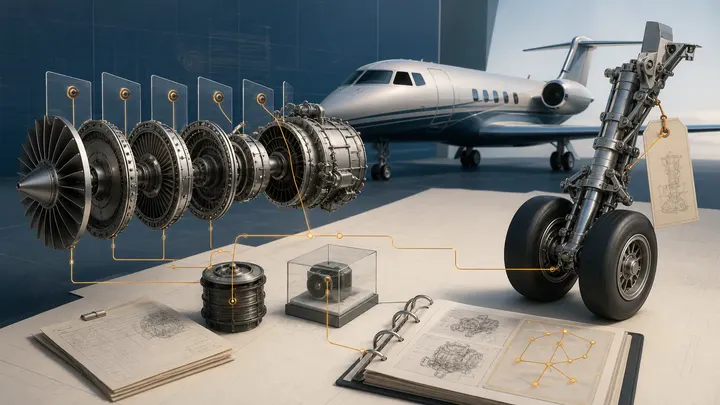
Aircraft Maintenance Tracking Software: Buyer’s Guide editorial illustration

Maintenance tracking software answers a forward-looking question: what work becomes due, and when? Aircraft records management answers the backward-looking proof question: what happened, to which asset, under what approval, and where is the source?

Many organizations need both. A due list without evidence can propagate a bad baseline. A perfect archive without a forecast can still miss an upcoming requirement.

What maintenance tracking software should track

  • Aircraft, engines, APU, propellers, landing gear, and installed components.
  • Current hours, cycles, landings, and calendar utilization.
  • Maintenance-program inspections and tasks.
  • Airworthiness Directives and recurring compliance.
  • Life-limited parts and time-controlled components.
  • Certification-maintenance and instructions-for-continued-airworthiness tasks.
  • Major inspection packages and check dependencies.
  • Engine, APU, and component program information.
  • Deferred discrepancies and approved control programs where applicable.
  • Forecast windows, downtime assumptions, and maintenance capacity.

The exact scope depends on aircraft type, operating rules, approved programs, and organizational procedures.

Tracking, records, and work execution

Tracking, records, and work execution
SystemPrimary questionCritical output
Maintenance trackingWhat is due and when?Forecast and due list
Records managementWhat happened and can we prove it?Searchable, source-linked history
Work-order systemWhat work is being planned and performed?Tasks, findings, parts, labor, approvals
Inventory systemWhat material is available and traceable?Stock, demand, movement, certification
Finance or ERPWhat did it cost and who approved it?Purchase, invoice, budget, accounting

Define which system is authoritative for each field. Uncontrolled copies of aircraft time, component status, and compliance data create reconciliation work and risk.

The baseline is the hardest part

Software cannot repair an unsupported starting point by calculation alone. Implementation should reconcile:

  • Aircraft identity and exact configuration.
  • Installed component part and serial numbers.
  • Airframe, engine, APU, and component times and cycles.
  • Maintenance-program revision and applicability.
  • Last-complied and next-due values.
  • AD applicability and compliance method.
  • Life-limited-part history and remaining life.
  • Major repairs, alterations, and continued-airworthiness tasks.
  • Open discrepancies and deferred items.

Connect each material baseline value to source records. If evidence is missing, flag the field rather than converting an assumption into an apparent fact.

Due-date calculation requirements

Good tracking software should support:

  • Calendar, hour, cycle, landing, and mixed-limit logic.
  • Whichever-occurs-first and whichever-occurs-last rules.
  • Repetitive and terminating actions.
  • Tolerance, grace, escalation, and planning windows where allowed.
  • Component installation and removal.
  • Forecast utilization by aircraft and season.
  • Maintenance-program revisions and supersedure.
  • Dependencies and package grouping.
  • Clear treatment of inactive, stored, or transferred aircraft.

Ask the vendor to show a complicated requirement and explain the calculation in plain language. A user should be able to see the rule, current status, next due, and source.

Airworthiness Directives

AD tracking requires more than an applicability flag. Review aircraft, engines, propellers, appliances, and installed equipment. Capture:

  • Applicability and effectivity.
  • Compliance method and revision.
  • Compliance date, time, and cycles.
  • Recurring interval and next due.
  • Terminating action.
  • Alternative method of compliance if used.
  • Source log entry and work package.

The FAA publishes Airworthiness Directives under 14 CFR Part 39. Owners and operators remain responsible for determining and maintaining compliance.

Maintenance forecasting

Forecasting turns technical due data into a capacity and cash plan. The system should let planners:

  • Project hours and cycles by tail.
  • See due items by date, tolerance, station, and skill.
  • Combine tasks into efficient packages.
  • Identify parts, tooling, engineering, and vendor dependencies.
  • Model downtime and return-to-service risk.
  • Export a reviewable work scope.
  • Compare forecast to actual utilization.

The forecast should update as utilization changes without hiding the original requirement or manual override history.

Integrations that matter

Prioritize integrity over the number of logos on an integration page. Useful connections may include:

  • Flight operations and aircraft utilization.
  • Digital aircraft records management.
  • Work orders and maintenance execution.
  • Parts inventory and procurement.
  • Engine and APU program data.
  • Reliability and defect analysis.
  • Finance, budgeting, and invoice systems.
  • Lender or owner reporting.

For every integration, define direction, frequency, conflict handling, ownership, and audit history.

Security and operational controls

Evaluate:

  • Role-based permissions by fleet, tail, and function.
  • Approval and change history.
  • Authentication and access review.
  • Encryption and backup.
  • Recovery time and offline or contingency access.
  • Exportability and vendor exit.
  • Data residency and subprocessors.
  • Incident response.
  • Validation and acceptance testing.

Maintenance teams need access during outages and transitions. Document the contingency process before the system becomes critical.

Vendor demonstration checklist

Ask each vendor to perform the same scenario:

  1. Add a serialized component with prior history.
  2. Apply an hour and calendar limit.
  3. Record maintenance with a supporting source document.
  4. Update aircraft time from operations.
  5. Show the next-due calculation.
  6. Revise the maintenance program and show the affected tasks.
  7. Correct an erroneous baseline without deleting the audit history.
  8. Export the aircraft status and source evidence.

This reveals workflow depth more clearly than a feature checklist.

Implementation and cutover

Define the control model

Name system owners, data owners, approvers, and users. Write what constitutes an accepted baseline and who can change it.

Reconcile the source records

Digitize and index the relevant history. Radar’s logbook digitization guide covers scan and quality controls.

Configure and test

Load aircraft, components, programs, and statuses. Test high-risk calculations, representative aircraft, and edge cases against independent expected results.

Parallel run

Compare the new system to the current method for a controlled period. Resolve differences instead of choosing the more convenient answer.

Govern after launch

Track overdue intake, unlinked status, manual overrides, unresolved conflicts, failed integrations, and user access.

Choose the right maintenance system scope

Choose the right maintenance system scope
Operating needDetailed guide
AD applicability and recurring statusAirworthiness Directive tracking software
Serialized parts and life statusAircraft component tracking software
Multiple tails, programs, and executive controlAircraft fleet maintenance software
Part 135 program and conformity needsPart 135 maintenance tracking software
Work-package and customer-delivery recordsMRO document management

The systems can overlap, but each field should still have one named source of authority and a visible evidence path.

Sources and further reading

Common questions

Frequently asked questions

What does aircraft maintenance tracking software do?

It tracks maintenance requirements against calendar, hours, cycles, landings, or other limits and helps forecast when inspections, components, and compliance actions become due.

Is maintenance tracking software an aircraft logbook?

Not by itself. A tracker may hold status and planning data, while the logbook and work records provide the evidence that maintenance was performed and approved.

What data is required to implement a maintenance tracking system?

At minimum, teams need an accurate aircraft configuration, applicable maintenance requirements, current utilization, component identities and times, inspection status, AD status, and the source records behind those values.

How is Radar different from a maintenance tracker?

Radar focuses on the evidence layer: digitizing, connecting, searching, and verifying aircraft records. It can complement the system that forecasts due work by making the underlying source history accessible.

Run maintenance from connected evidence

Know what is due—and open the record that proves it.

Radar connects maintenance status, component history, compliance work, and source records across every tail in the fleet.

Your fleet's records at your fingertips.

Sign up, print a label, and search your first tail within days. Free.

Aircraft Maintenance Tracking Software: Buyer’s Guide

How to choose a maintenance tracking system that can calculate what is due and prove why the underlying status is trustworthy.

Maintenance systems 12 sections · 5 min read Reviewed July 26, 2026

In brief

Maintenance tracking software forecasts requirements and due dates. It is only as reliable as its aircraft configuration, utilization inputs, maintenance program, component history, and source evidence. The strongest architecture connects every tracked status to the record that supports it.

Aircraft Maintenance Tracking Software: Buyer’s Guide editorial illustration

Maintenance tracking software answers a forward-looking question: what work becomes due, and when? Aircraft records management answers the backward-looking proof question: what happened, to which asset, under what approval, and where is the source?

Many organizations need both. A due list without evidence can propagate a bad baseline. A perfect archive without a forecast can still miss an upcoming requirement.

What maintenance tracking software should track

  • Aircraft, engines, APU, propellers, landing gear, and installed components.
  • Current hours, cycles, landings, and calendar utilization.
  • Maintenance-program inspections and tasks.
  • Airworthiness Directives and recurring compliance.
  • Life-limited parts and time-controlled components.
  • Certification-maintenance and instructions-for-continued-airworthiness tasks.
  • Major inspection packages and check dependencies.
  • Engine, APU, and component program information.
  • Deferred discrepancies and approved control programs where applicable.
  • Forecast windows, downtime assumptions, and maintenance capacity.

The exact scope depends on aircraft type, operating rules, approved programs, and organizational procedures.

Tracking, records, and work execution

Tracking, records, and work execution
SystemPrimary questionCritical output
Maintenance trackingWhat is due and when?Forecast and due list
Records managementWhat happened and can we prove it?Searchable, source-linked history
Work-order systemWhat work is being planned and performed?Tasks, findings, parts, labor, approvals
Inventory systemWhat material is available and traceable?Stock, demand, movement, certification
Finance or ERPWhat did it cost and who approved it?Purchase, invoice, budget, accounting

Define which system is authoritative for each field. Uncontrolled copies of aircraft time, component status, and compliance data create reconciliation work and risk.

The baseline is the hardest part

Software cannot repair an unsupported starting point by calculation alone. Implementation should reconcile:

  • Aircraft identity and exact configuration.
  • Installed component part and serial numbers.
  • Airframe, engine, APU, and component times and cycles.
  • Maintenance-program revision and applicability.
  • Last-complied and next-due values.
  • AD applicability and compliance method.
  • Life-limited-part history and remaining life.
  • Major repairs, alterations, and continued-airworthiness tasks.
  • Open discrepancies and deferred items.

Connect each material baseline value to source records. If evidence is missing, flag the field rather than converting an assumption into an apparent fact.

Due-date calculation requirements

Good tracking software should support:

  • Calendar, hour, cycle, landing, and mixed-limit logic.
  • Whichever-occurs-first and whichever-occurs-last rules.
  • Repetitive and terminating actions.
  • Tolerance, grace, escalation, and planning windows where allowed.
  • Component installation and removal.
  • Forecast utilization by aircraft and season.
  • Maintenance-program revisions and supersedure.
  • Dependencies and package grouping.
  • Clear treatment of inactive, stored, or transferred aircraft.

Ask the vendor to show a complicated requirement and explain the calculation in plain language. A user should be able to see the rule, current status, next due, and source.

Airworthiness Directives

AD tracking requires more than an applicability flag. Review aircraft, engines, propellers, appliances, and installed equipment. Capture:

  • Applicability and effectivity.
  • Compliance method and revision.
  • Compliance date, time, and cycles.
  • Recurring interval and next due.
  • Terminating action.
  • Alternative method of compliance if used.
  • Source log entry and work package.

The FAA publishes Airworthiness Directives under 14 CFR Part 39. Owners and operators remain responsible for determining and maintaining compliance.

Maintenance forecasting

Forecasting turns technical due data into a capacity and cash plan. The system should let planners:

  • Project hours and cycles by tail.
  • See due items by date, tolerance, station, and skill.
  • Combine tasks into efficient packages.
  • Identify parts, tooling, engineering, and vendor dependencies.
  • Model downtime and return-to-service risk.
  • Export a reviewable work scope.
  • Compare forecast to actual utilization.

The forecast should update as utilization changes without hiding the original requirement or manual override history.

Integrations that matter

Prioritize integrity over the number of logos on an integration page. Useful connections may include:

  • Flight operations and aircraft utilization.
  • Digital aircraft records management.
  • Work orders and maintenance execution.
  • Parts inventory and procurement.
  • Engine and APU program data.
  • Reliability and defect analysis.
  • Finance, budgeting, and invoice systems.
  • Lender or owner reporting.

For every integration, define direction, frequency, conflict handling, ownership, and audit history.

Security and operational controls

Evaluate:

  • Role-based permissions by fleet, tail, and function.
  • Approval and change history.
  • Authentication and access review.
  • Encryption and backup.
  • Recovery time and offline or contingency access.
  • Exportability and vendor exit.
  • Data residency and subprocessors.
  • Incident response.
  • Validation and acceptance testing.

Maintenance teams need access during outages and transitions. Document the contingency process before the system becomes critical.

Vendor demonstration checklist

Ask each vendor to perform the same scenario:

  1. Add a serialized component with prior history.
  2. Apply an hour and calendar limit.
  3. Record maintenance with a supporting source document.
  4. Update aircraft time from operations.
  5. Show the next-due calculation.
  6. Revise the maintenance program and show the affected tasks.
  7. Correct an erroneous baseline without deleting the audit history.
  8. Export the aircraft status and source evidence.

This reveals workflow depth more clearly than a feature checklist.

Implementation and cutover

Define the control model

Name system owners, data owners, approvers, and users. Write what constitutes an accepted baseline and who can change it.

Reconcile the source records

Digitize and index the relevant history. Radar’s logbook digitization guide covers scan and quality controls.

Configure and test

Load aircraft, components, programs, and statuses. Test high-risk calculations, representative aircraft, and edge cases against independent expected results.

Parallel run

Compare the new system to the current method for a controlled period. Resolve differences instead of choosing the more convenient answer.

Govern after launch

Track overdue intake, unlinked status, manual overrides, unresolved conflicts, failed integrations, and user access.

Choose the right maintenance system scope

Choose the right maintenance system scope
Operating needDetailed guide
AD applicability and recurring statusAirworthiness Directive tracking software
Serialized parts and life statusAircraft component tracking software
Multiple tails, programs, and executive controlAircraft fleet maintenance software
Part 135 program and conformity needsPart 135 maintenance tracking software
Work-package and customer-delivery recordsMRO document management

The systems can overlap, but each field should still have one named source of authority and a visible evidence path.

Sources and further reading

Common questions

Frequently asked questions

What does aircraft maintenance tracking software do?

It tracks maintenance requirements against calendar, hours, cycles, landings, or other limits and helps forecast when inspections, components, and compliance actions become due.

Is maintenance tracking software an aircraft logbook?

Not by itself. A tracker may hold status and planning data, while the logbook and work records provide the evidence that maintenance was performed and approved.

What data is required to implement a maintenance tracking system?

At minimum, teams need an accurate aircraft configuration, applicable maintenance requirements, current utilization, component identities and times, inspection status, AD status, and the source records behind those values.

How is Radar different from a maintenance tracker?

Radar focuses on the evidence layer: digitizing, connecting, searching, and verifying aircraft records. It can complement the system that forecasts due work by making the underlying source history accessible.

Run maintenance from connected evidence

Know what is due—and open the record that proves it.

Radar connects maintenance status, component history, compliance work, and source records across every tail in the fleet.

Your fleet's records at your fingertips.

Sign up, print a label, and search your first tail within days. Free.

Aircraft Maintenance Tracking Software: Buyer’s Guide

How to choose a maintenance tracking system that can calculate what is due and prove why the underlying status is trustworthy.

Maintenance systems 12 sections · 5 min read Reviewed July 26, 2026

In brief

Maintenance tracking software forecasts requirements and due dates. It is only as reliable as its aircraft configuration, utilization inputs, maintenance program, component history, and source evidence. The strongest architecture connects every tracked status to the record that supports it.

Aircraft Maintenance Tracking Software: Buyer’s Guide editorial illustration

Maintenance tracking software answers a forward-looking question: what work becomes due, and when? Aircraft records management answers the backward-looking proof question: what happened, to which asset, under what approval, and where is the source?

Many organizations need both. A due list without evidence can propagate a bad baseline. A perfect archive without a forecast can still miss an upcoming requirement.

What maintenance tracking software should track

  • Aircraft, engines, APU, propellers, landing gear, and installed components.
  • Current hours, cycles, landings, and calendar utilization.
  • Maintenance-program inspections and tasks.
  • Airworthiness Directives and recurring compliance.
  • Life-limited parts and time-controlled components.
  • Certification-maintenance and instructions-for-continued-airworthiness tasks.
  • Major inspection packages and check dependencies.
  • Engine, APU, and component program information.
  • Deferred discrepancies and approved control programs where applicable.
  • Forecast windows, downtime assumptions, and maintenance capacity.

The exact scope depends on aircraft type, operating rules, approved programs, and organizational procedures.

Tracking, records, and work execution

Tracking, records, and work execution
SystemPrimary questionCritical output
Maintenance trackingWhat is due and when?Forecast and due list
Records managementWhat happened and can we prove it?Searchable, source-linked history
Work-order systemWhat work is being planned and performed?Tasks, findings, parts, labor, approvals
Inventory systemWhat material is available and traceable?Stock, demand, movement, certification
Finance or ERPWhat did it cost and who approved it?Purchase, invoice, budget, accounting

Define which system is authoritative for each field. Uncontrolled copies of aircraft time, component status, and compliance data create reconciliation work and risk.

The baseline is the hardest part

Software cannot repair an unsupported starting point by calculation alone. Implementation should reconcile:

  • Aircraft identity and exact configuration.
  • Installed component part and serial numbers.
  • Airframe, engine, APU, and component times and cycles.
  • Maintenance-program revision and applicability.
  • Last-complied and next-due values.
  • AD applicability and compliance method.
  • Life-limited-part history and remaining life.
  • Major repairs, alterations, and continued-airworthiness tasks.
  • Open discrepancies and deferred items.

Connect each material baseline value to source records. If evidence is missing, flag the field rather than converting an assumption into an apparent fact.

Due-date calculation requirements

Good tracking software should support:

  • Calendar, hour, cycle, landing, and mixed-limit logic.
  • Whichever-occurs-first and whichever-occurs-last rules.
  • Repetitive and terminating actions.
  • Tolerance, grace, escalation, and planning windows where allowed.
  • Component installation and removal.
  • Forecast utilization by aircraft and season.
  • Maintenance-program revisions and supersedure.
  • Dependencies and package grouping.
  • Clear treatment of inactive, stored, or transferred aircraft.

Ask the vendor to show a complicated requirement and explain the calculation in plain language. A user should be able to see the rule, current status, next due, and source.

Airworthiness Directives

AD tracking requires more than an applicability flag. Review aircraft, engines, propellers, appliances, and installed equipment. Capture:

  • Applicability and effectivity.
  • Compliance method and revision.
  • Compliance date, time, and cycles.
  • Recurring interval and next due.
  • Terminating action.
  • Alternative method of compliance if used.
  • Source log entry and work package.

The FAA publishes Airworthiness Directives under 14 CFR Part 39. Owners and operators remain responsible for determining and maintaining compliance.

Maintenance forecasting

Forecasting turns technical due data into a capacity and cash plan. The system should let planners:

  • Project hours and cycles by tail.
  • See due items by date, tolerance, station, and skill.
  • Combine tasks into efficient packages.
  • Identify parts, tooling, engineering, and vendor dependencies.
  • Model downtime and return-to-service risk.
  • Export a reviewable work scope.
  • Compare forecast to actual utilization.

The forecast should update as utilization changes without hiding the original requirement or manual override history.

Integrations that matter

Prioritize integrity over the number of logos on an integration page. Useful connections may include:

  • Flight operations and aircraft utilization.
  • Digital aircraft records management.
  • Work orders and maintenance execution.
  • Parts inventory and procurement.
  • Engine and APU program data.
  • Reliability and defect analysis.
  • Finance, budgeting, and invoice systems.
  • Lender or owner reporting.

For every integration, define direction, frequency, conflict handling, ownership, and audit history.

Security and operational controls

Evaluate:

  • Role-based permissions by fleet, tail, and function.
  • Approval and change history.
  • Authentication and access review.
  • Encryption and backup.
  • Recovery time and offline or contingency access.
  • Exportability and vendor exit.
  • Data residency and subprocessors.
  • Incident response.
  • Validation and acceptance testing.

Maintenance teams need access during outages and transitions. Document the contingency process before the system becomes critical.

Vendor demonstration checklist

Ask each vendor to perform the same scenario:

  1. Add a serialized component with prior history.
  2. Apply an hour and calendar limit.
  3. Record maintenance with a supporting source document.
  4. Update aircraft time from operations.
  5. Show the next-due calculation.
  6. Revise the maintenance program and show the affected tasks.
  7. Correct an erroneous baseline without deleting the audit history.
  8. Export the aircraft status and source evidence.

This reveals workflow depth more clearly than a feature checklist.

Implementation and cutover

Define the control model

Name system owners, data owners, approvers, and users. Write what constitutes an accepted baseline and who can change it.

Reconcile the source records

Digitize and index the relevant history. Radar’s logbook digitization guide covers scan and quality controls.

Configure and test

Load aircraft, components, programs, and statuses. Test high-risk calculations, representative aircraft, and edge cases against independent expected results.

Parallel run

Compare the new system to the current method for a controlled period. Resolve differences instead of choosing the more convenient answer.

Govern after launch

Track overdue intake, unlinked status, manual overrides, unresolved conflicts, failed integrations, and user access.

Choose the right maintenance system scope

Choose the right maintenance system scope
Operating needDetailed guide
AD applicability and recurring statusAirworthiness Directive tracking software
Serialized parts and life statusAircraft component tracking software
Multiple tails, programs, and executive controlAircraft fleet maintenance software
Part 135 program and conformity needsPart 135 maintenance tracking software
Work-package and customer-delivery recordsMRO document management

The systems can overlap, but each field should still have one named source of authority and a visible evidence path.

Sources and further reading

Common questions

Frequently asked questions

What does aircraft maintenance tracking software do?

It tracks maintenance requirements against calendar, hours, cycles, landings, or other limits and helps forecast when inspections, components, and compliance actions become due.

Is maintenance tracking software an aircraft logbook?

Not by itself. A tracker may hold status and planning data, while the logbook and work records provide the evidence that maintenance was performed and approved.

What data is required to implement a maintenance tracking system?

At minimum, teams need an accurate aircraft configuration, applicable maintenance requirements, current utilization, component identities and times, inspection status, AD status, and the source records behind those values.

How is Radar different from a maintenance tracker?

Radar focuses on the evidence layer: digitizing, connecting, searching, and verifying aircraft records. It can complement the system that forecasts due work by making the underlying source history accessible.

Run maintenance from connected evidence

Know what is due—and open the record that proves it.

Radar connects maintenance status, component history, compliance work, and source records across every tail in the fleet.

Your fleet's records at your fingertips.

Sign up, print a label, and search your first tail within days. Free.