Fleet intelligence for engine OEMs

Know what the fleet will need next.

Radar turns maintenance history into a forward view of shop visits and parts demand, engine by engine, then across the installed fleet.
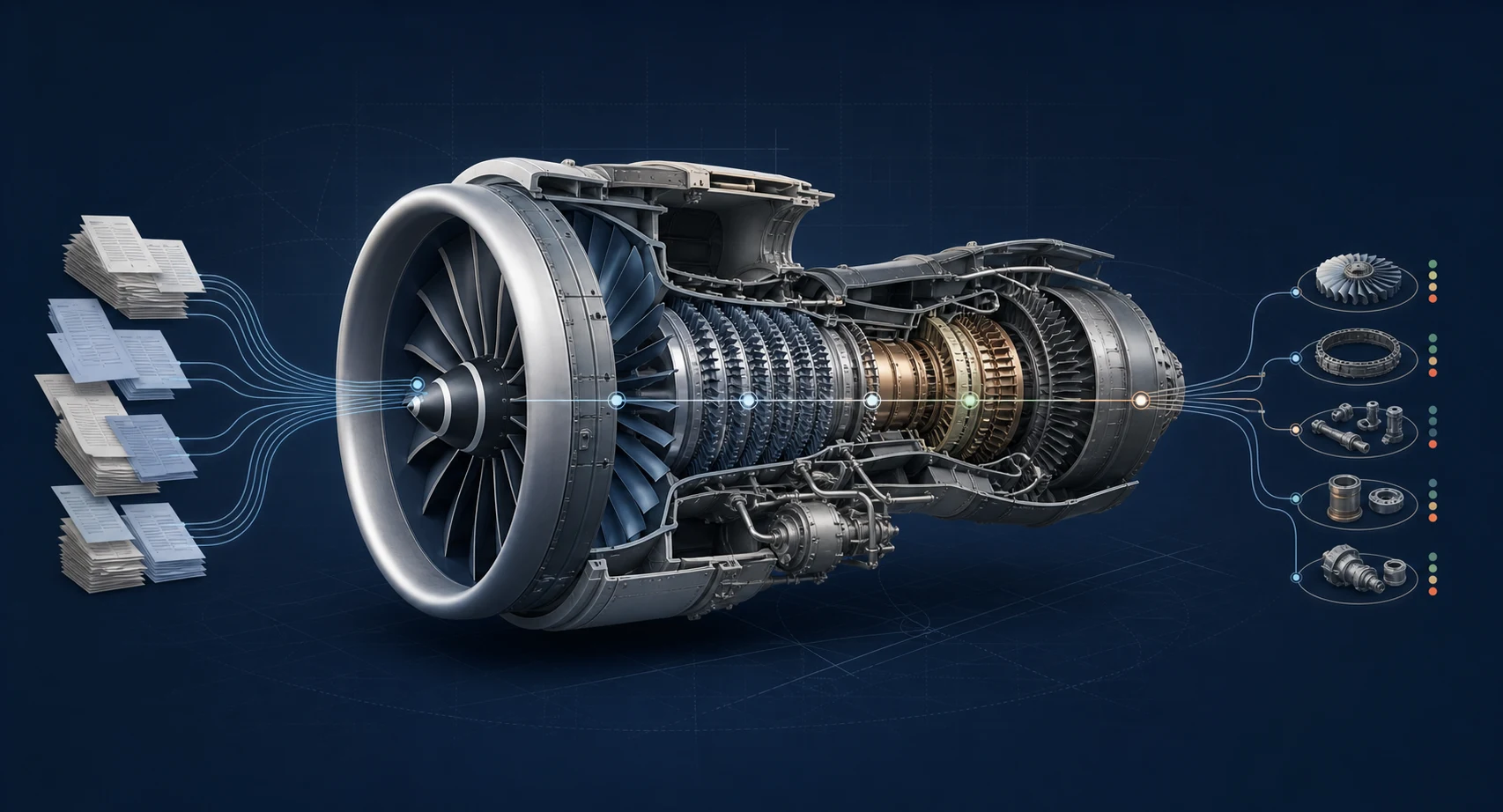
A cutaway turbine engine connecting maintenance records to module and component demand signals

The forecasting gap

You own the program. The fleet history is still out of reach.

Hours and cycles tell you when an engine may arrive. Only its records tell you what that engine will need.

Materials teams still wait for service centers to reconstruct what each arriving engine will need, one event and one spreadsheet at a time.

Build standard, service bulletin status, life-limited part times, repair history, installations, and removals remain scattered across physical logbooks and static PDFs.

The records exist. They have never been structured across the installed base.

Engine S/N118-047
Record-derived outlook
  • SB 72-0142Open
  • HPT disk life1,180 cycles
  • Material signalQ3 forecast

Illustrative serial-level view

What Radar built

Paper records become serial-number-level data.

Every part event, inspection, service bulletin, repair, installation, and removal becomes structured data that stays linked to its source page.

  1. 01

    Collect the records

    Logbooks, work orders, release certificates, and supporting files come from the operator.

  2. 02

    Preserve every source

    Records are scanned, read, and preserved as permanent digital source material.

  3. 03

    Structure every event

    Parts, serials, hours, cycles, signatories, references, and work performed become queryable objects.

  4. 04

    Put the forecast into the planning workflow

    Draft purchase orders, shop schedules, campaign lists, billing events, and cited engineering answers land inside the systems where your teams already work.

In productionSource-linked maintenance records supporting real fleet operations
Operator-builtDeveloped by a team that runs aircraft on Radar
Source-linkedEvery extracted value retains page-level provenance

Installed-base configuration

Know the build. See what is due. Plan the workscope.

Radar reconstructs each engine's as-maintained configuration from its source records, then combines it with utilization and your planning data to show what is installed, what is coming due, and what the next shop visit is likely to consume.

Configuration status

Know what is actually installed.

Part and serial number by module, build standard, SB embodiment, and installation or removal history, each tied back to the supporting record.

Configuration management

Upcoming maintenance

See what is coming due.

TSN and CSN, LLP remaining life, inspections, repairs, repeat findings, and applicable service actions by engine serial number.

Engineering and product support

Shop visit outlook

Plan the likely workscope earlier.

Combine configuration and exposure with utilization to forecast induction windows, material demand, exchange needs, and fleet-level peaks.

Materials and MRO network
Engine S/N As-maintained configuration SB / LLP exposure Likely workscope Material demand Shop slot and PO

Operator records remain access-controlled. OEM teams see only the fleets and fields authorized for the program, while every configuration fact remains traceable to its source page.

Fleet intelligence

Turn engine history into shop, materials, and program plans.

Each application produces something an OEM team can use immediately: a draft purchase order, shop schedule, campaign list, billing event, or cited engineering answer.

02

Program office and finance

Program Administration Feed

Hours, cycles, coverage, and record events across the installed base, including legacy aircraft.

Ends in Posted billing, compliance exceptions, and rebates

03

Engineering and product support

Build-Standard Registry

As-maintained configuration by serial, including mod state, SB status, and time remaining.

Ends in Campaign target lists and fleet rollups

04

MRO network and service centers

Shop-Visit Accelerator

Structured records reach the shop early enough to scope work and stage material before induction.

Ends in Earlier quotes and pre-induction parts orders

05

Product support, warranty, and legal

Radar Agent

Natural-language investigation across installation history, damage provenance, repairs, and supporting records.

Ends in Cited answers for warranty and claims decisions

Module 01: Fleet Demand Forecast

See parts demand years out, by serial number.

Each engine's build standard, SB state, LLP times, and event history project its next visit and the material that visit is likely to consume.

Across the fleet, those per-serial forecasts become part-number demand curves by quarter. The output can land as draft purchase orders inside the planning workflow.

"You could revolutionize the logistics planning for all OEMs."

Senior engine consultant with decades across OEM and MRO claims
Projected part demandNext 8 quarters
Illustrative

Hot-section inspection kitsPeak Q3

LLP sets, module 3Steady growth

4th-stage compressor kitsSB-driven cluster

Illustrative product view. A pilot is backtested against the OEM's actual consumption and prior plan.

Modules 02 to 04

Records arrive before the engine does.

Move record review, workscoping, and material planning ahead of induction, then carry the same source-linked history into program administration and product support.

Current sequence

  1. Engine inducted
  2. Locate and read records
  3. Scope and quote
  4. Order material
  5. Wait behind parts

With Radar

  1. Records digital months ahead
  2. Workscope prepared
  3. BOM staged pre-induction
  4. Quote ready earlier
  5. Start induction with records and material ready
Program administration

Use one feed for hours, billing, compliance, and rebates.

Run the program across connected, legacy, and non-connected aircraft from the same operating record.

Product support

See configuration and provenance before the question escalates.

Give support and warranty teams cited installation, repair, and event history by serial.

Where Radar fits

Telemetry sees the engine today. Radar sees its whole life.

Radar supplies the historical records layer beneath current health monitoring and due-list systems. It extends the fleet view backward in time and across legacy aircraft.

One engine serial numberBirth to current configuration
Live signals
Connected
Maintenance records
Source linked
Capability Live fleet systems Radar
Data

Live telemetry and reported operating data

Structured maintenance records from every event since birth

Coverage

Connected aircraft on supported models

The installed base, including legacy and non-connected aircraft

History

Go-forward from activation

Birth to now, including years no sensor can reconstruct

Evidence

Signals and system records

A source-page citation for every extracted value

The deployment sequence

Start with one engine program. Backtest the forecast. Expand across the installed fleet.

Compare Radar’s forecast with actual shop visits and material consumption before it enters a live planning cycle.

  1. 1

    Prove

    Backtest one engine program

    Choose one planning question and compare Radar’s forecast with the historical actuals.

  2. 2

    Deploy

    Put the forecast into production

    Radar combines records and planning inputs, then delivers the approved output into your existing system.

  3. 3

    Expand

    Add adjacent OEM teams

    Supply chain, program office, product support, and the service network work from the same history.

  4. 4

    Compound

    Increase serial coverage

    As more records are added, more engine serials enter the forecast and investigations get faster.

A measurable first pilot

Start with one engine program and your own history.

  • Serial-level fleet view combining maintenance records and planning-system inputs
  • 24-month material plan backtested against actual consumption
  • 24-month parts forecast delivered into the existing planning workflow
Design the pilot

Forecast upcoming shop visits and parts demand from the history you already have.

Bring us one engine program and one planning question. We will compare Radar’s forecast with your actual shop visits and material consumption.

Fleet intelligence for engine OEMs

Know what the fleet will need next.

Radar turns maintenance history into a forward view of shop visits and parts demand, engine by engine, then across the installed fleet.

A cutaway turbine engine connecting maintenance records to module and component demand signals

The forecasting gap

You own the program. The fleet history is still out of reach.

Hours and cycles tell you when an engine may arrive. Only its records tell you what that engine will need.

Materials teams still wait for service centers to reconstruct what each arriving engine will need, one event and one spreadsheet at a time.

Build standard, service bulletin status, life-limited part times, repair history, installations, and removals remain scattered across physical logbooks and static PDFs.

The records exist. They have never been structured across the installed base.

Engine S/N118-047
Record-derived outlook
  • SB 72-0142Open
  • HPT disk life1,180 cycles
  • Material signalQ3 forecast

Illustrative serial-level view

What Radar built

Paper records become serial-number-level data.

Every part event, inspection, service bulletin, repair, installation, and removal becomes structured data that stays linked to its source page.

  1. 01

    Collect the records

    Logbooks, work orders, release certificates, and supporting files come from the operator.

  2. 02

    Preserve every source

    Records are scanned, read, and preserved as permanent digital source material.

  3. 03

    Structure every event

    Parts, serials, hours, cycles, signatories, references, and work performed become queryable objects.

  4. 04

    Put the forecast into the planning workflow

    Draft purchase orders, shop schedules, campaign lists, billing events, and cited engineering answers land inside the systems where your teams already work.

In productionSource-linked maintenance records supporting real fleet operations
Operator-builtDeveloped by a team that runs aircraft on Radar
Source-linkedEvery extracted value retains page-level provenance

Installed-base configuration

Know the build. See what is due. Plan the workscope.

Radar reconstructs each engine's as-maintained configuration from its source records, then combines it with utilization and your planning data to show what is installed, what is coming due, and what the next shop visit is likely to consume.

Configuration status

Know what is actually installed.

Part and serial number by module, build standard, SB embodiment, and installation or removal history, each tied back to the supporting record.

Configuration management

Upcoming maintenance

See what is coming due.

TSN and CSN, LLP remaining life, inspections, repairs, repeat findings, and applicable service actions by engine serial number.

Engineering and product support

Shop visit outlook

Plan the likely workscope earlier.

Combine configuration and exposure with utilization to forecast induction windows, material demand, exchange needs, and fleet-level peaks.

Materials and MRO network
Engine S/N As-maintained configuration SB / LLP exposure Likely workscope Material demand Shop slot and PO

Operator records remain access-controlled. OEM teams see only the fleets and fields authorized for the program, while every configuration fact remains traceable to its source page.

Fleet intelligence

Turn engine history into shop, materials, and program plans.

Each application produces something an OEM team can use immediately: a draft purchase order, shop schedule, campaign list, billing event, or cited engineering answer.

02

Program office and finance

Program Administration Feed

Hours, cycles, coverage, and record events across the installed base, including legacy aircraft.

Ends in Posted billing, compliance exceptions, and rebates

03

Engineering and product support

Build-Standard Registry

As-maintained configuration by serial, including mod state, SB status, and time remaining.

Ends in Campaign target lists and fleet rollups

04

MRO network and service centers

Shop-Visit Accelerator

Structured records reach the shop early enough to scope work and stage material before induction.

Ends in Earlier quotes and pre-induction parts orders

05

Product support, warranty, and legal

Radar Agent

Natural-language investigation across installation history, damage provenance, repairs, and supporting records.

Ends in Cited answers for warranty and claims decisions

Module 01: Fleet Demand Forecast

See parts demand years out, by serial number.

Each engine's build standard, SB state, LLP times, and event history project its next visit and the material that visit is likely to consume.

Across the fleet, those per-serial forecasts become part-number demand curves by quarter. The output can land as draft purchase orders inside the planning workflow.

"You could revolutionize the logistics planning for all OEMs."

Senior engine consultant with decades across OEM and MRO claims
Projected part demandNext 8 quarters
Illustrative

Hot-section inspection kitsPeak Q3

LLP sets, module 3Steady growth

4th-stage compressor kitsSB-driven cluster

Illustrative product view. A pilot is backtested against the OEM's actual consumption and prior plan.

Modules 02 to 04

Records arrive before the engine does.

Move record review, workscoping, and material planning ahead of induction, then carry the same source-linked history into program administration and product support.

Current sequence

  1. Engine inducted
  2. Locate and read records
  3. Scope and quote
  4. Order material
  5. Wait behind parts

With Radar

  1. Records digital months ahead
  2. Workscope prepared
  3. BOM staged pre-induction
  4. Quote ready earlier
  5. Start induction with records and material ready
Program administration

Use one feed for hours, billing, compliance, and rebates.

Run the program across connected, legacy, and non-connected aircraft from the same operating record.

Product support

See configuration and provenance before the question escalates.

Give support and warranty teams cited installation, repair, and event history by serial.

Where Radar fits

Telemetry sees the engine today. Radar sees its whole life.

Radar supplies the historical records layer beneath current health monitoring and due-list systems. It extends the fleet view backward in time and across legacy aircraft.

One engine serial numberBirth to current configuration
Live signals
Connected
Maintenance records
Source linked
Capability Live fleet systems Radar
Data

Live telemetry and reported operating data

Structured maintenance records from every event since birth

Coverage

Connected aircraft on supported models

The installed base, including legacy and non-connected aircraft

History

Go-forward from activation

Birth to now, including years no sensor can reconstruct

Evidence

Signals and system records

A source-page citation for every extracted value

The deployment sequence

Start with one engine program. Backtest the forecast. Expand across the installed fleet.

Compare Radar’s forecast with actual shop visits and material consumption before it enters a live planning cycle.

  1. 1

    Prove

    Backtest one engine program

    Choose one planning question and compare Radar’s forecast with the historical actuals.

  2. 2

    Deploy

    Put the forecast into production

    Radar combines records and planning inputs, then delivers the approved output into your existing system.

  3. 3

    Expand

    Add adjacent OEM teams

    Supply chain, program office, product support, and the service network work from the same history.

  4. 4

    Compound

    Increase serial coverage

    As more records are added, more engine serials enter the forecast and investigations get faster.

A measurable first pilot

Start with one engine program and your own history.

  • Serial-level fleet view combining maintenance records and planning-system inputs
  • 24-month material plan backtested against actual consumption
  • 24-month parts forecast delivered into the existing planning workflow
Design the pilot

Fleet intelligence for engine OEMs

Know what the fleet will need next.

Radar turns maintenance history into a forward view of shop visits and parts demand, engine by engine, then across the installed fleet.

A cutaway turbine engine connecting maintenance records to module and component demand signals

The forecasting gap

You own the program. The fleet history is still out of reach.

Hours and cycles tell you when an engine may arrive. Only its records tell you what that engine will need.

Materials teams still wait for service centers to reconstruct what each arriving engine will need, one event and one spreadsheet at a time.

Build standard, service bulletin status, life-limited part times, repair history, installations, and removals remain scattered across physical logbooks and static PDFs.

The records exist. They have never been structured across the installed base.

Engine S/N118-047
Record-derived outlook
  • SB 72-0142Open
  • HPT disk life1,180 cycles
  • Material signalQ3 forecast

Illustrative serial-level view

What Radar built

Paper records become serial-number-level data.

Every part event, inspection, service bulletin, repair, installation, and removal becomes structured data that stays linked to its source page.

  1. 01

    Collect the records

    Logbooks, work orders, release certificates, and supporting files come from the operator.

  2. 02

    Preserve every source

    Records are scanned, read, and preserved as permanent digital source material.

  3. 03

    Structure every event

    Parts, serials, hours, cycles, signatories, references, and work performed become queryable objects.

  4. 04

    Put the forecast into the planning workflow

    Draft purchase orders, shop schedules, campaign lists, billing events, and cited engineering answers land inside the systems where your teams already work.

In productionSource-linked maintenance records supporting real fleet operations
Operator-builtDeveloped by a team that runs aircraft on Radar
Source-linkedEvery extracted value retains page-level provenance

Installed-base configuration

Know the build. See what is due. Plan the workscope.

Radar reconstructs each engine's as-maintained configuration from its source records, then combines it with utilization and your planning data to show what is installed, what is coming due, and what the next shop visit is likely to consume.

Configuration status

Know what is actually installed.

Part and serial number by module, build standard, SB embodiment, and installation or removal history, each tied back to the supporting record.

Configuration management

Upcoming maintenance

See what is coming due.

TSN and CSN, LLP remaining life, inspections, repairs, repeat findings, and applicable service actions by engine serial number.

Engineering and product support

Shop visit outlook

Plan the likely workscope earlier.

Combine configuration and exposure with utilization to forecast induction windows, material demand, exchange needs, and fleet-level peaks.

Materials and MRO network
Engine S/N As-maintained configuration SB / LLP exposure Likely workscope Material demand Shop slot and PO

Operator records remain access-controlled. OEM teams see only the fleets and fields authorized for the program, while every configuration fact remains traceable to its source page.

Fleet intelligence

Turn engine history into shop, materials, and program plans.

Each application produces something an OEM team can use immediately: a draft purchase order, shop schedule, campaign list, billing event, or cited engineering answer.

02

Program office and finance

Program Administration Feed

Hours, cycles, coverage, and record events across the installed base, including legacy aircraft.

Ends in Posted billing, compliance exceptions, and rebates

03

Engineering and product support

Build-Standard Registry

As-maintained configuration by serial, including mod state, SB status, and time remaining.

Ends in Campaign target lists and fleet rollups

04

MRO network and service centers

Shop-Visit Accelerator

Structured records reach the shop early enough to scope work and stage material before induction.

Ends in Earlier quotes and pre-induction parts orders

05

Product support, warranty, and legal

Radar Agent

Natural-language investigation across installation history, damage provenance, repairs, and supporting records.

Ends in Cited answers for warranty and claims decisions

Module 01: Fleet Demand Forecast

See parts demand years out, by serial number.

Each engine's build standard, SB state, LLP times, and event history project its next visit and the material that visit is likely to consume.

Across the fleet, those per-serial forecasts become part-number demand curves by quarter. The output can land as draft purchase orders inside the planning workflow.

"You could revolutionize the logistics planning for all OEMs."

Senior engine consultant with decades across OEM and MRO claims
Projected part demandNext 8 quarters
Illustrative

Hot-section inspection kitsPeak Q3

LLP sets, module 3Steady growth

4th-stage compressor kitsSB-driven cluster

Illustrative product view. A pilot is backtested against the OEM's actual consumption and prior plan.

Modules 02 to 04

Records arrive before the engine does.

Move record review, workscoping, and material planning ahead of induction, then carry the same source-linked history into program administration and product support.

Current sequence

  1. Engine inducted
  2. Locate and read records
  3. Scope and quote
  4. Order material
  5. Wait behind parts

With Radar

  1. Records digital months ahead
  2. Workscope prepared
  3. BOM staged pre-induction
  4. Quote ready earlier
  5. Start induction with records and material ready
Program administration

Use one feed for hours, billing, compliance, and rebates.

Run the program across connected, legacy, and non-connected aircraft from the same operating record.

Product support

See configuration and provenance before the question escalates.

Give support and warranty teams cited installation, repair, and event history by serial.

Where Radar fits

Telemetry sees the engine today. Radar sees its whole life.

Radar supplies the historical records layer beneath current health monitoring and due-list systems. It extends the fleet view backward in time and across legacy aircraft.

One engine serial numberBirth to current configuration
Live signals
Connected
Maintenance records
Source linked
Capability Live fleet systems Radar
Data

Live telemetry and reported operating data

Structured maintenance records from every event since birth

Coverage

Connected aircraft on supported models

The installed base, including legacy and non-connected aircraft

History

Go-forward from activation

Birth to now, including years no sensor can reconstruct

Evidence

Signals and system records

A source-page citation for every extracted value

The deployment sequence

Start with one engine program. Backtest the forecast. Expand across the installed fleet.

Compare Radar’s forecast with actual shop visits and material consumption before it enters a live planning cycle.

  1. 1

    Prove

    Backtest one engine program

    Choose one planning question and compare Radar’s forecast with the historical actuals.

  2. 2

    Deploy

    Put the forecast into production

    Radar combines records and planning inputs, then delivers the approved output into your existing system.

  3. 3

    Expand

    Add adjacent OEM teams

    Supply chain, program office, product support, and the service network work from the same history.

  4. 4

    Compound

    Increase serial coverage

    As more records are added, more engine serials enter the forecast and investigations get faster.

A measurable first pilot

Start with one engine program and your own history.

  • Serial-level fleet view combining maintenance records and planning-system inputs
  • 24-month material plan backtested against actual consumption
  • 24-month parts forecast delivered into the existing planning workflow
Design the pilot