
FLIP-THROUGH
Flip through every logbook without the binders.
All of a tail's logbooks and shop paperwork in one viewer, in date order, with a timeline of the years above the page. Page through it like the binder, jump to a date, and see the entries Radar read from the page you are on.
WHO IT IS FOR
For anyone who has to read the books cover to cover.
- Buyers and pre-buy inspectorsRead the history in order, see where the aircraft sat, and find the gaps before you make an offer.
- Directors of maintenanceShow the FSDO or an auditor the original page, without the originals leaving your office.
- Owners selling an aircraftCheck the records the way a buyer will, and fix what is missing before the pre-buy.
- Lenders, lessors and insurersReview the books for a tail from anywhere, with no binders to ship.
THE PROBLEM
Twenty PDFs and a notepad.
Scanned records usually arrive one PDF per binder or per shop visit, in whatever order they were scanned. A records review means opening each file, scrolling, losing your place, and keeping notes like "volume 2, page 143". Nobody can see the years that are missing until they have read everything.
HOW RADAR DOES IT
One stack of pages, in date order.
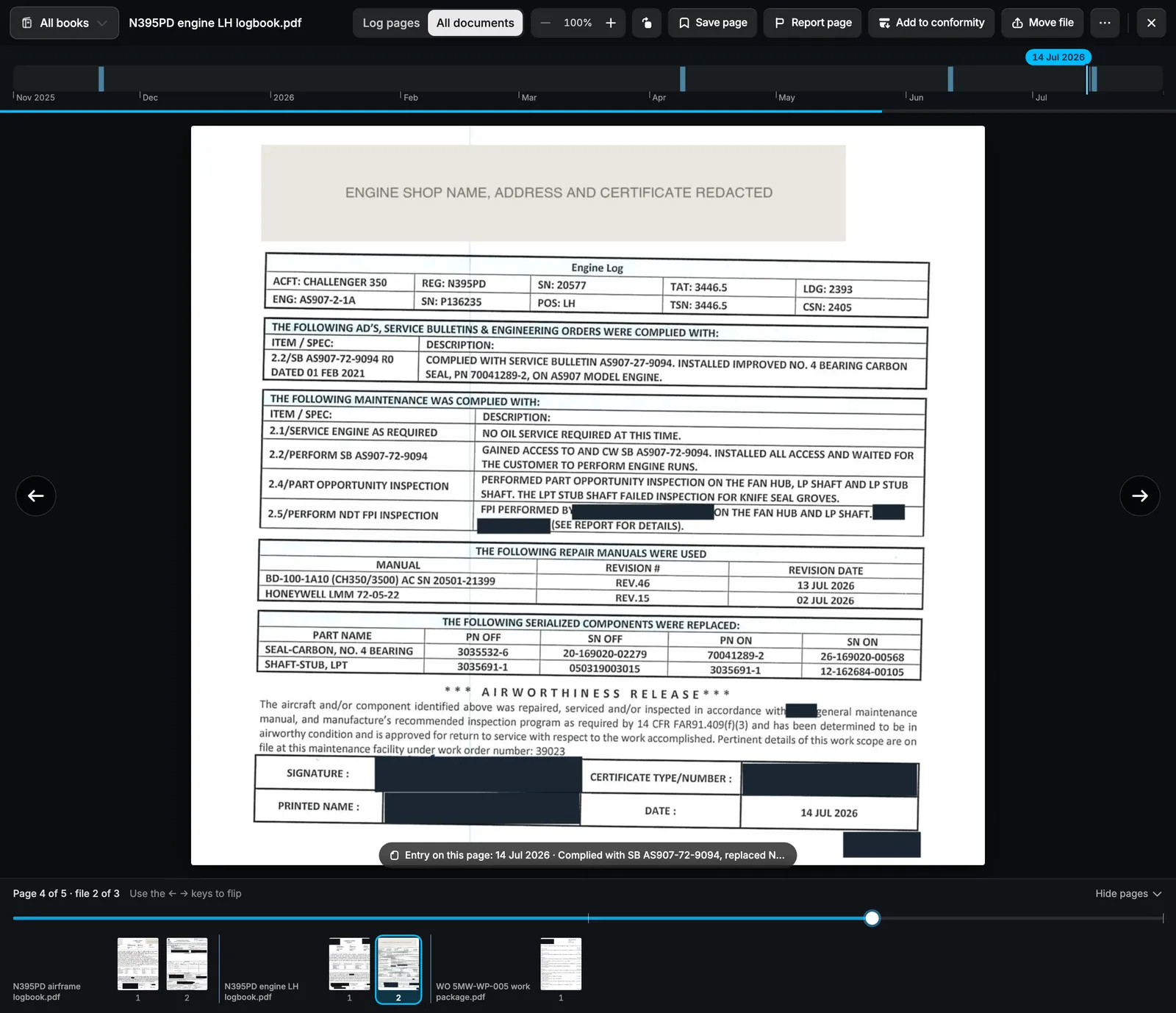
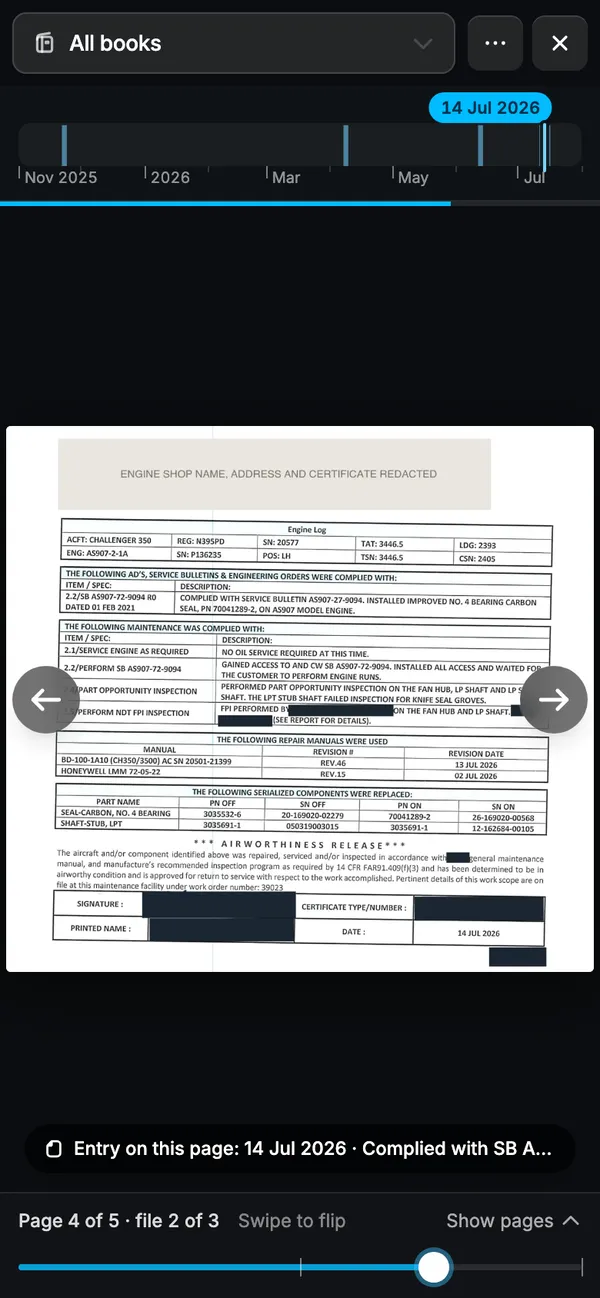
Radar reads the date on every page and puts every book for the tail in one stack: airframe, engines, APU and the shop's work packages. The timeline shows each year with pages on it and marks the stretches with no records. Tap a year to jump there. Pages with no date stay at the end, so nothing is hidden.
In the screen above: three files for N395PD from November 2025 to July 2026. Each bar on the timeline is a page, and the label shows the date of the page in view.
ON EVERY PAGE
The entries Radar read, under the page.
Each page shows the entries read from it. Tap one to open the entry with its tasks, parts and work order. Save the pages that matter for later, rotate a sideways scan, or report a page filed in the wrong book. Arrow keys flip on a desktop. On a phone, swipe.
WHAT YOU GET
A records review that starts with the pages.
- Every book, in orderPage through all of a tail's logbooks from the first entry to the last.
- Gaps you can seeThe timeline shows the years with no records before a buyer finds them.
- The page behind the answerJump to a date or a book and see the entries read from each page.
- The originals stay homeShow an inspector or a buyer the page without shipping the binders.
Can I show a buyer or inspector the pages?
Yes. Open the viewer on a laptop or a phone and flip to the page they ask for. The originals stay in your office as the legal record.
What happens to pages with no date on them?
Covers, blank pages and undated forms stay in the stack. The timeline counts them at the end, so you can page through them too.
What if a page is in the wrong logbook?
Report it from the viewer as the wrong aircraft, the wrong book or out of order, and we move it.
How do my records get into Radar?
Email or upload the PDFs you already have, or connect the Google Drive or OneDrive folder where your team saves records and new files come in on their own. Paper binders ship with prepaid labels from Radar. Records are ready in about two weeks.
GET A DEMO
Flip through one of your tails.
Send us its logbooks. We read them back to birth and put every page in order, with the entries read from each one.
Screens show sandbox data on N395PD. Shop names are invented. The logbook pages are real, with names, signatures and certificate numbers redacted.