
WORK PACKAGES
Every shop visit, back together.
Radar groups an aircraft's logbook entries by work order, back to birth. Each package shows the shop, the dates, every task, the parts that came off and went on with their 8130-3s, the ADs and SBs complied with, and the page behind each one.
WHO IT IS FOR
Anyone who has asked for the work order behind an entry.
- Directors of maintenanceCheck that every task, tag and sign-off came back from the shop, and answer the FSDO without pulling binders.
- Owners and flight departmentsSee what each shop did on each visit, to check against the invoice and compare shops on the same inspection.
- Buyers, brokers and pre-buy inspectorsGo straight to the engine shop visit, the gear overhaul or the 337 and see the work behind it.
- Lessors and lendersTrace a serial number through every visit that touched it, for lease return and collateral reviews.
THE PROBLEM
"Pertinent details are found within work order T2025-159."
That is how most logbook entries end. The detail lives in the shop's work order: the task cards, the parts, the tags. Repair stations only have to keep their copy for two years, so yours is often the last one, and it is a 40 page PDF in somebody's inbox, or a folder in a box of records, filed by shop or by date or not at all.
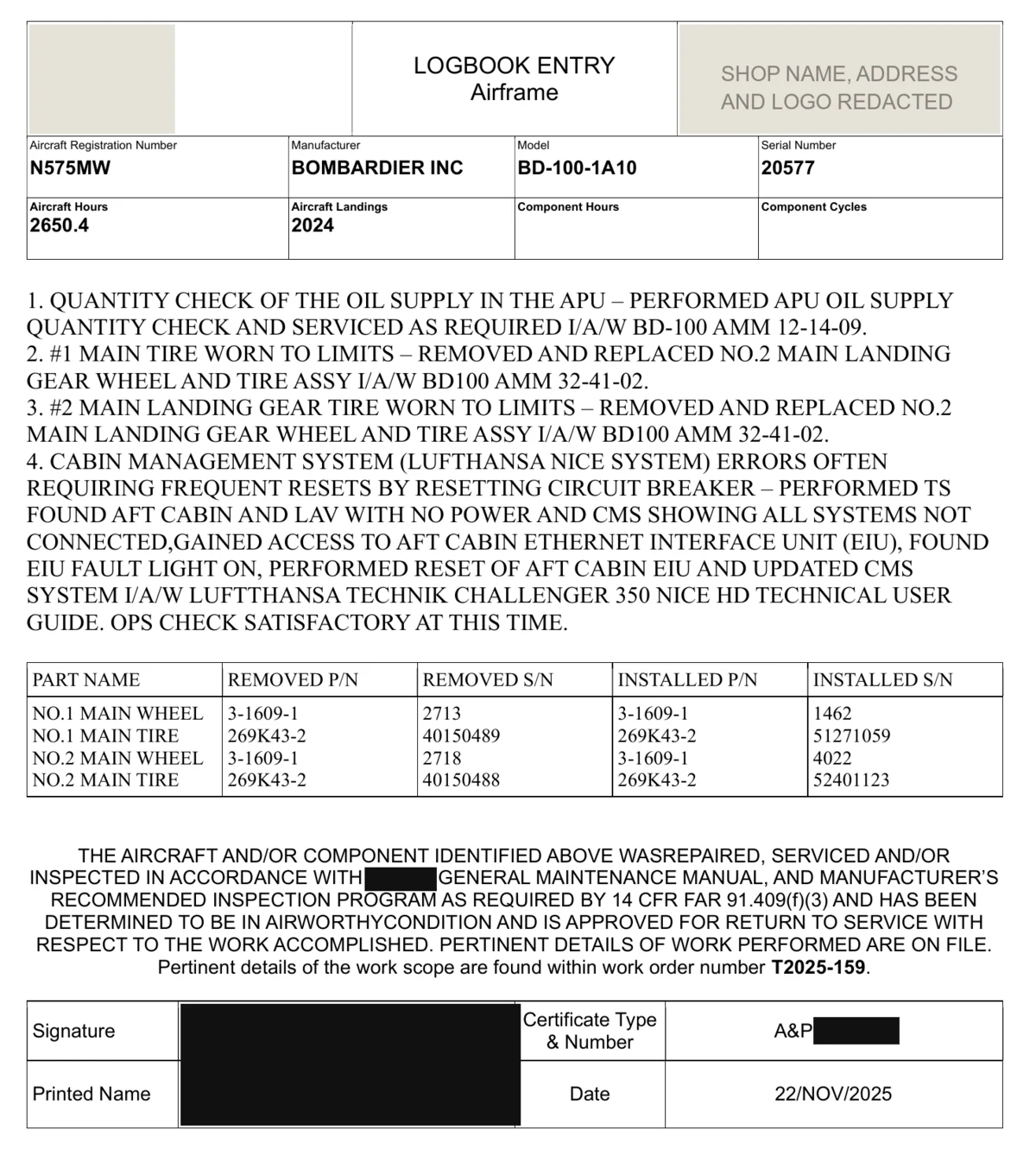
A real entry, redacted. The work is four lines. The detail is in work order T2025-159.
HOW RADAR DOES IT
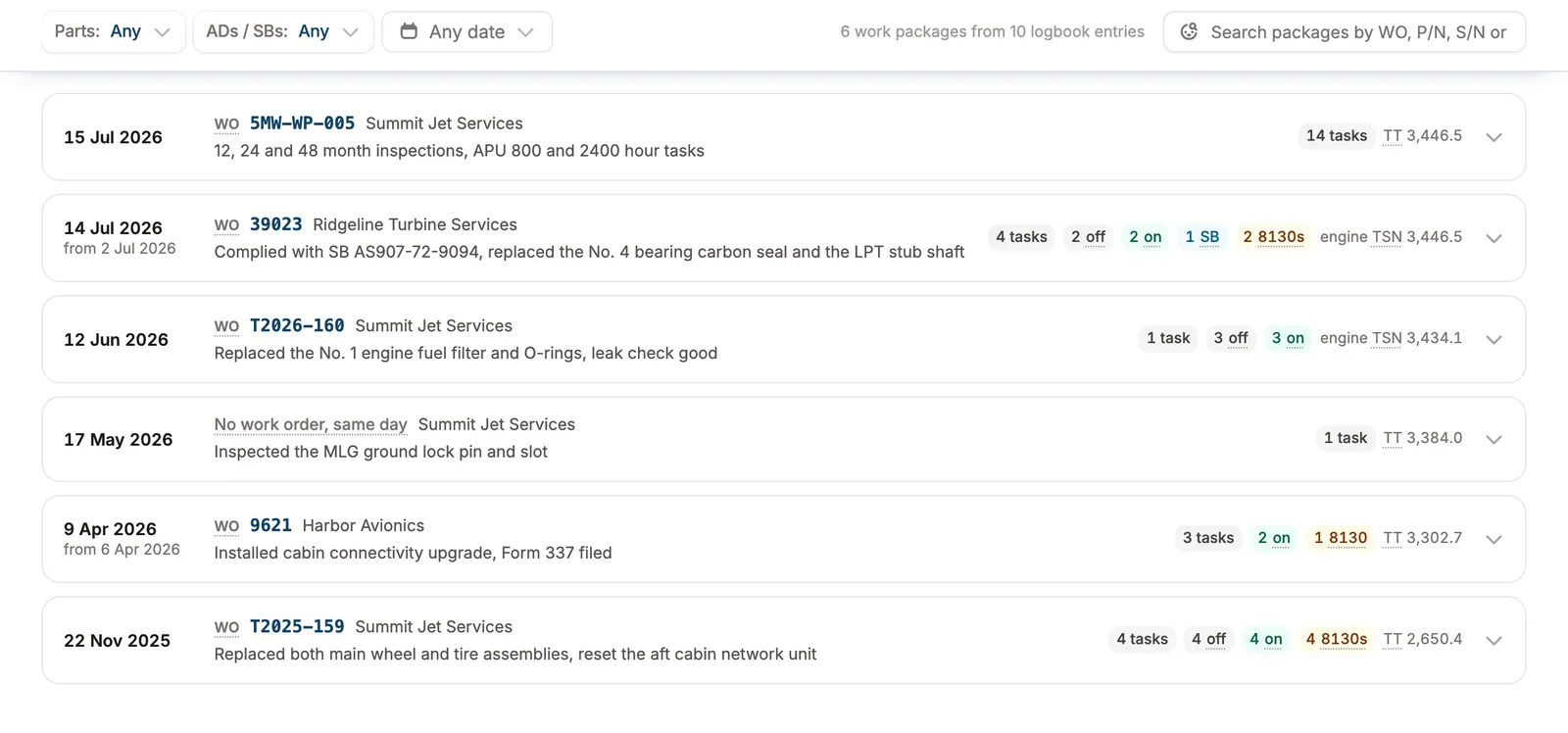
Every visit in one list, newest first.
Radar reads the work order number off each entry and groups the entries that share it. Work with no work order is grouped by shop and day. Each row shows the shop, the dates, the tasks, the parts off and on, the ADs, SBs and 8130s, and the airframe or engine time at the visit.
INSIDE A PACKAGE
Parts off and on, paired, with their tags.
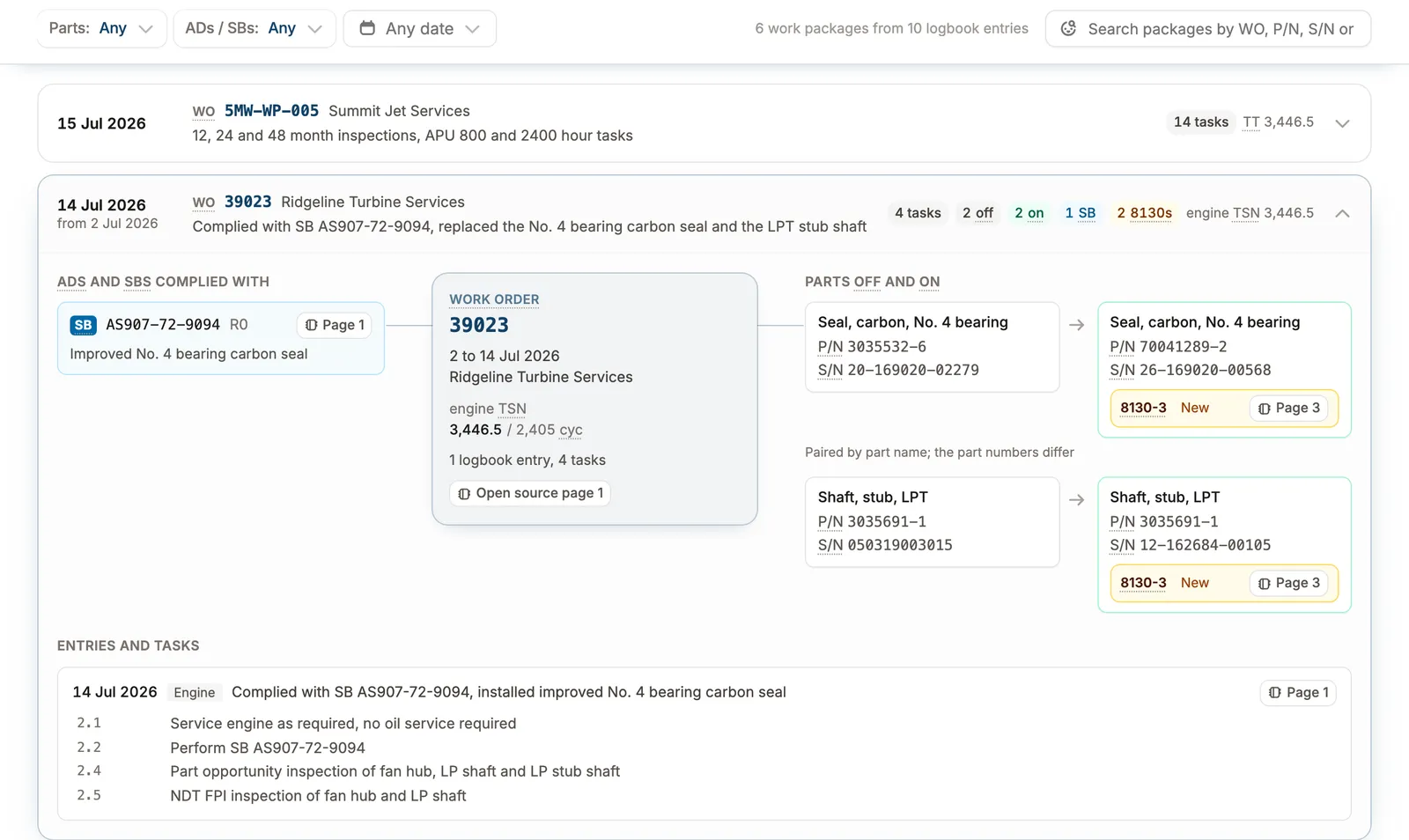
Open a package and the removed part sits beside the one that replaced it, with part and serial numbers and the 8130-3 that came with it. The ADs and SBs complied with and every entry and task are listed too, and each one opens the page it was read from.
The package at the top of this page: engine shop work order 39023, two parts off and on, both with their 8130-3, and the SB complied with.
FIND IT
Search by work order, part number or serial.
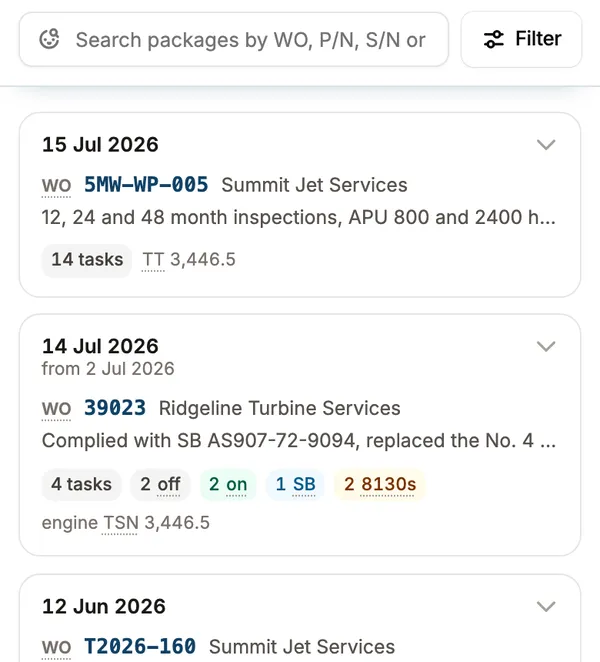
Type a serial number and see every visit that touched that part. Filter to visits with parts work, with an AD or an SB, or to a date range. It works the same on your phone.
WHAT YOU GET
Answers from the shop paperwork you already have.
- The work order behind any entryFind it in seconds, with the pages it came from.
- Parts paired with their 8130sEvery part off and on in a visit, matched, with its tag.
- Pre-buy and lease return requestsAnswer with the package and the page, without shipping boxes of paper.
- A serial number's historyEvery visit it was touched, for warranty claims and back-to-birth trace.
Do I have to have used Radar when the work was done?
No. Packages are built from the logbooks and shop paperwork you already have, back to birth. New work joins them as it is uploaded.
What if an entry has no work order number?
Radar groups it with the other work the same shop did that day and labels the package that way, so nothing is left out of the list.
Where do the 8130-3 tags come from?
From the tags in your records. Radar reads each 8130-3 or EASA Form 1 and links it to the part it released, by part and serial number.
How do my records get into Radar?
Email or upload the PDFs you already have, or connect the Google Drive or OneDrive folder where your team saves records and new files come in on their own. Paper binders ship with prepaid labels from Radar. Records are ready in about two weeks.
Does Radar track invoices or labor?
No. Radar shows what the shop signed off. Use it to check the invoice, line by line, against the tasks and parts on the work order.
GET A DEMO
See one of your tails as work packages.
Send us its logbooks and shop paperwork. We read them back to birth and show you every visit, with the page behind each line.
Screens show sandbox data on N395PD. Shop names are invented. The logbook pages are real, with names, signatures and certificate numbers redacted.