

In brief
Aircraft component tracking software should maintain the identity, configuration, accumulated utilization, maintenance status, and source history of every controlled part. The record must survive movement between aircraft, engines, shops, stores, and owners.
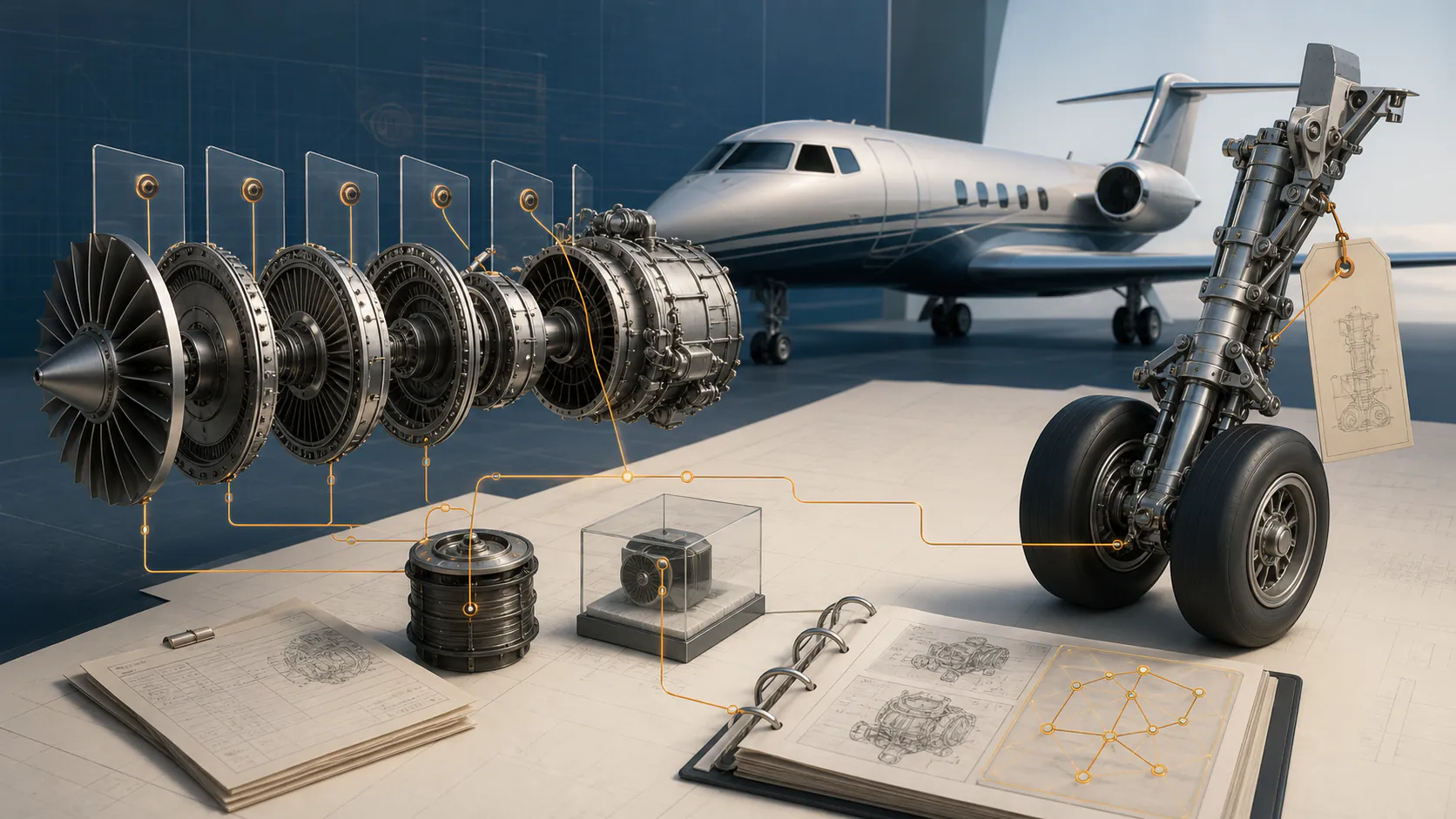
Aircraft components move. They transfer between positions, aircraft, engines, shops, stores, operators, and owners. Component tracking software must preserve the history through every movement without merging identities or losing the evidence behind accumulated time and maintenance status.
The best systems treat the component as a persistent asset with a source-linked event history, not a row that disappears when it is removed from the aircraft.
Component master record
At minimum, the master should support:
- Part number and serial number.
- Nomenclature and manufacturer.
- Product or assembly relationship.
- Aircraft, engine, APU, or position installed.
- Installation and removal dates.
- Time, cycles, landings, starts, or other counters.
- Life limit, overhaul limit, inspection interval, or retirement rule.
- Current status and location.
- Release and trace documents.
- Modifications, repairs, and shop visits.
- Ownership, lease, pool, exchange, or consignment status.
- Source evidence and review history.
Never use part number alone as the identity of a serialized component.
Installation and removal events
Each movement should record:
- From and to asset or location.
- Position.
- Event date.
- Aircraft and component utilization at event.
- Reason for removal.
- Work order and maintenance entry.
- Installing or removing organization.
- Release-to-service or receipt evidence.
- Reviewer and timestamp.
The system should prevent overlapping installations and impossible chronology. A serialized item cannot be installed on two aircraft at the same time.
Accumulated utilization
Component utilization may be:
- Time since new.
- Cycles since new.
- Time or cycles since overhaul, repair, or inspection.
- Landings, starts, calendar, pressure cycles, or events.
- Utilization inherited from a parent assembly.
- Direct meter or event reporting.
Show how each total was produced. Derived utilization should identify the parent asset, installation interval, source readings, and calculation rule.
Life limits and maintenance controls
Distinguish:
- Regulatory life limit.
- Airworthiness limitation.
- Mandatory replacement time.
- Approved maintenance-program interval.
- Recommended overhaul.
- Inspection threshold or repeat.
- Warranty or contract interval.
- Operator-controlled preventive task.
These categories can produce different legal and commercial consequences. The software should preserve the controlling source and revision rather than flattening every interval into “due.”
Life-limited-part traceability
For a life-limited part, the system must support every relevant installation and removal back through the required history.
Key controls include:
- Stable part and serial identity.
- Life limit and basis.
- Accumulated exposure before each installation.
- Exposure added during each installation.
- Remaining life.
- Source document for every movement and total.
- Explicit gaps and disposition.
If prior exposure is unknown, the system should not generate an optimistic remaining-life figure.
Release and trace documents
Link the component record to:
- FAA Form 8130-3 where applicable.
- EASA Form 1 or other authority release documents.
- Maintenance release and shop work scope.
- Certificate of conformity.
- Packing slip and purchase order.
- Removal tag and serviceability label.
- Back-to-birth or commercial trace package.
- Non-incident statements where used.
An FAA Form 8130-3 has specific uses and block content. It is not a universal certificate of every fact a buyer may want.
Configuration effectivity
The system should know whether a component is eligible for the intended installation:
- Approved part and dash number.
- Interchangeability or substitution.
- Modification status.
- Aircraft or engine effectivity.
- Software or hardware standard.
- Required service bulletin or AD status.
- Shelf life and storage conditions.
- Installation prerequisites.
Eligibility review should be traceable to current approved data and accountable personnel.
Shop-visit workflow
When a component leaves the aircraft:
- Record removal and reason.
- Freeze accumulated utilization.
- Transfer to quarantine, shop, pool, or storage.
- Attach incoming inspection and shop quote.
- Track approved work scope.
- Receive release and detailed shop package.
- Update modification, repair, and maintenance status.
- Confirm time-control reset rules.
- Return to serviceable inventory or installation.
Do not automatically reset “since overhaul” because a shop visit occurred. The work scope and approved release must support the reset.
Fleet and inventory visibility
Useful views include:
- Components approaching life or maintenance limits.
- Removed-unserviceable items awaiting disposition.
- Components in external shops.
- Pool and exchange obligations.
- Missing release or trace documents.
- Serial numbers with conflicting history.
- Parts installed outside effectivity.
- High-cost component exposure by tail.
- Unreviewed component events.
Operations, maintenance, finance, and records teams should see the same identity and evidence.
Implementation and migration
Component migration is high risk because legacy systems may disagree. Use:
- Source hierarchy for conflicting values.
- Serial-number normalization without changing source.
- Duplicate detection.
- Installation overlap testing.
- Impossible utilization checks.
- Sampling against original logs and tags.
- Dual review for life-limited parts.
- Cutover freeze and reconciliation.
- Reversible import and complete export.
Do not declare migration complete because every row imported. It is complete when the critical statuses are accepted against evidence.
Vendor demonstration checklist
Demonstrate:
- A component moving across two aircraft.
- A shop visit without overhaul reset.
- A life-limited part with prior exposure.
- A part-number change or modification.
- An exchange component with core obligation.
- A missing FAA Form 8130-3.
- Conflicting serial-number history.
- Parent-derived utilization.
- Full source export and audit trail.
Sources and further reading
Common questions
Frequently asked questions
What aircraft components should be tracked?
Track items required by regulation, approved programs, maintenance instructions, contracts, warranty, and operational policy. Common examples include engines, APUs, propellers, landing gear, life-limited parts, serialized rotable components, and time-controlled equipment.
What is the difference between component tracking and inventory?
Inventory shows what is in stock. Component tracking follows identity, installation position, utilization, life, maintenance status, release evidence, and history across aircraft, shops, and stores.
Can component tracking software calculate remaining life?
Yes, when the life limit, accumulated utilization, installation history, and source inputs are complete and correct. Unsupported history must remain an exception rather than becoming a confident remaining-life value.
Why link parts tags and release certificates to the component record?
The documents support identity, status or work, eligibility, and traceability. Linking them lets reviewers validate the structured component history against source.
Keep researching
Related aircraft guides


Run maintenance from connected evidence
Know what is due, and open the record that proves it.
Radar reads every logbook back to birth and builds the due list from the signed entries, with the page behind every line.